Blip Desk App
To better understand the problem, it's important to explain the context of the term active message.
An active message can be sent using a pre-approved template by Meta, where companies write the desired content and, from that, can run campaigns and/or send promotional content to selected customers. Each message sent incurs a charge.
Before the active message feature was implemented, agents were unable to initiate contact with customers — they could only respond to incoming messages (tickets).
Problem
Blip Desk App users were able to send active messages through the app, but they couldn’t track the post-sending status of those messages on their mobile device — they had to access the Web platform for that.
Goal
Enable users to track the post-sending status of active messages directly from their mobile devices.
Solution
To continue providing flexibility for these users, we created a tab to monitor the status of active message delivery, along with information on when an active message becomes a ticket and user behaviors within a sent message.
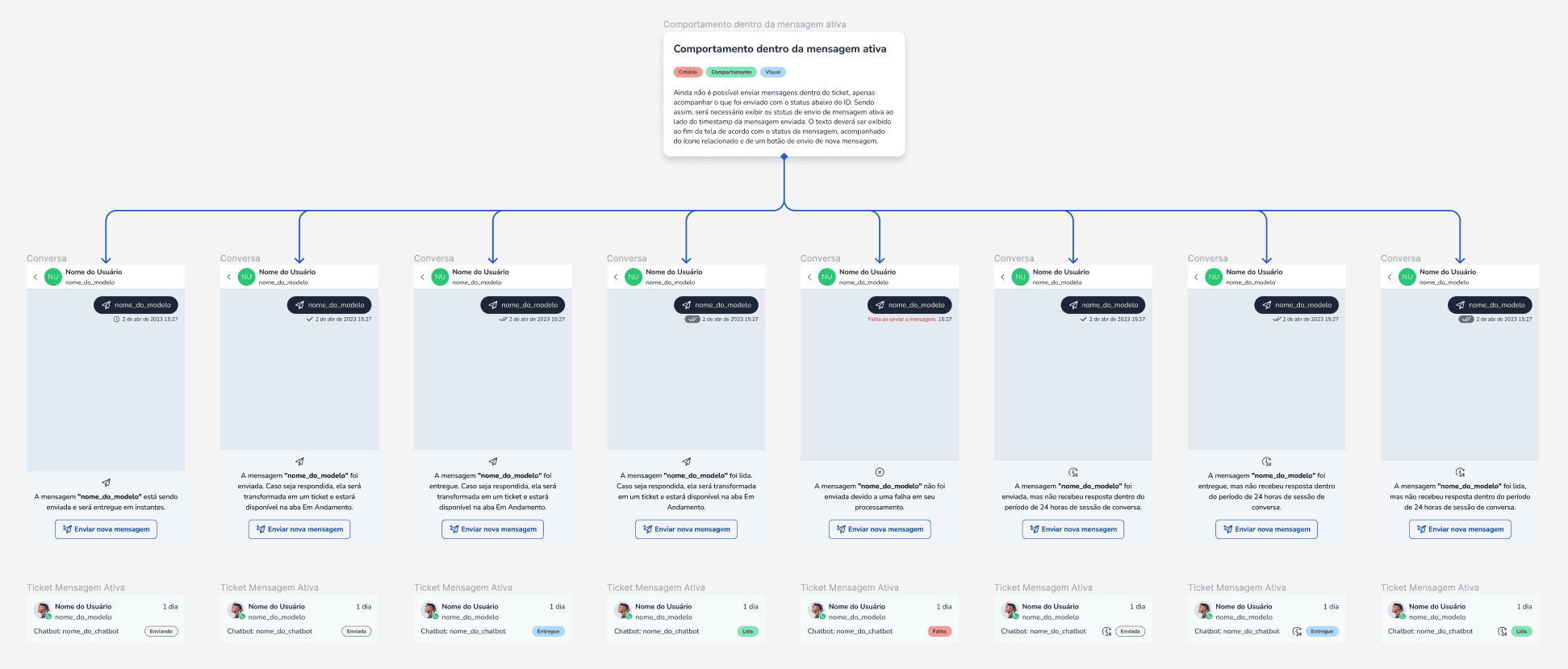
The stories delivered to developers were accompanied by a complete handoff, including usability, behavior, and visual criteria. We also provided documentation to support product internationalization, using DittoWords for content localization.

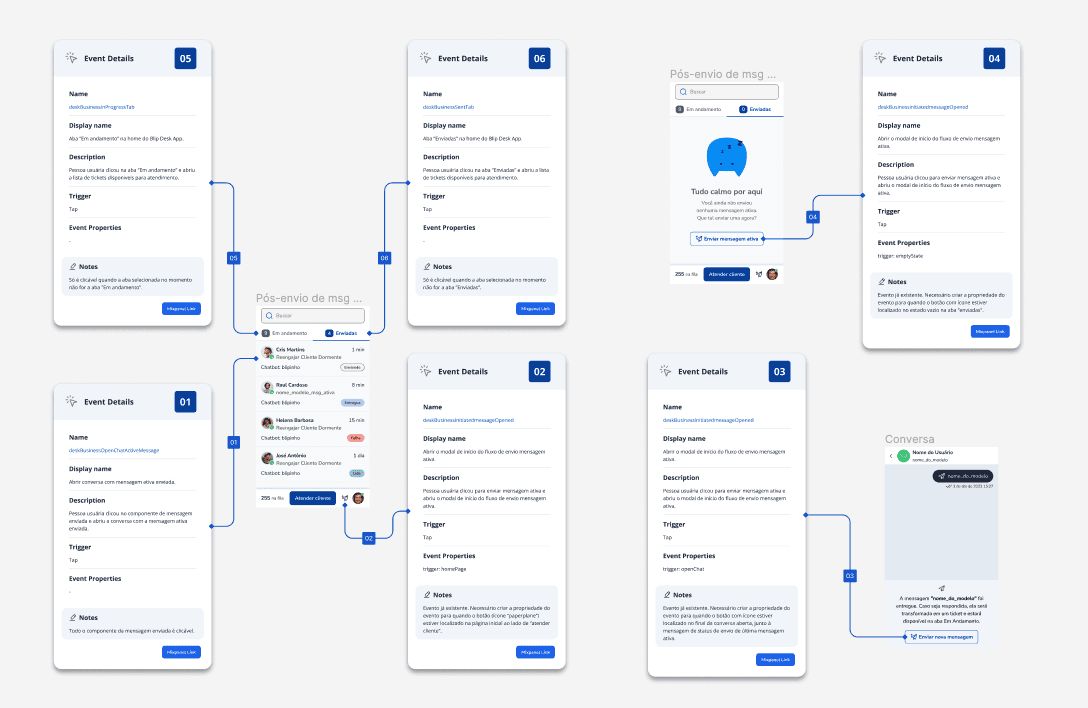
For features already available in the Web product, we added a property to MixPanel to identify the type of device used when the user performed the action. Some tracking events needed to be created, and for that, we specified the event name, search name, event description, trigger and properties. To provide even more clarity, additional notes were also included.

A prototype followed the final design handoff to development, as well as to other departments such as Sales and CX. This made it possible to anticipate the pain points of certain users who relied on these features to perform their work.
Not all screens needed to be included in the prototype — detailed specifications were provided separately as part of the handoff.
Measure the impact of the feature on app usage compared to web usage.
Provide clear error messages and guidance on what to do if an error occurs at any point in the journey.
Display the content of the active message sent to users. There have been reports that agents still write down the message content in notebooks to stay organized amid a high volume of conversations.